Spring
[SpringBoot] POI 를 사용하여 엑셀(.xlsx) 파일 읽기
병띠
2023. 11. 14. 18:47
안녕하세요.
오늘의 포스팅은 SpringBoot에서 POI를 사용하여 엑셀 파일을 읽어오는 방법입니다.
전체 코드는 https://github.com/DevDotUng/Excel-Read 에서 확인할 수 있습니다.
기대 결과
강아지의 이름, 견종, 나이가 포함된 엑셀 파일을 읽어와 DB에 저장 후 확인을 위해 화면에 출력
POI
마이크로소프트 오피스 파일 포멧 (xlsx, ppt...)을 자바 언어로 읽고 쓰는 기능을 제공해주는 라이브러리입니다.
결과 화면
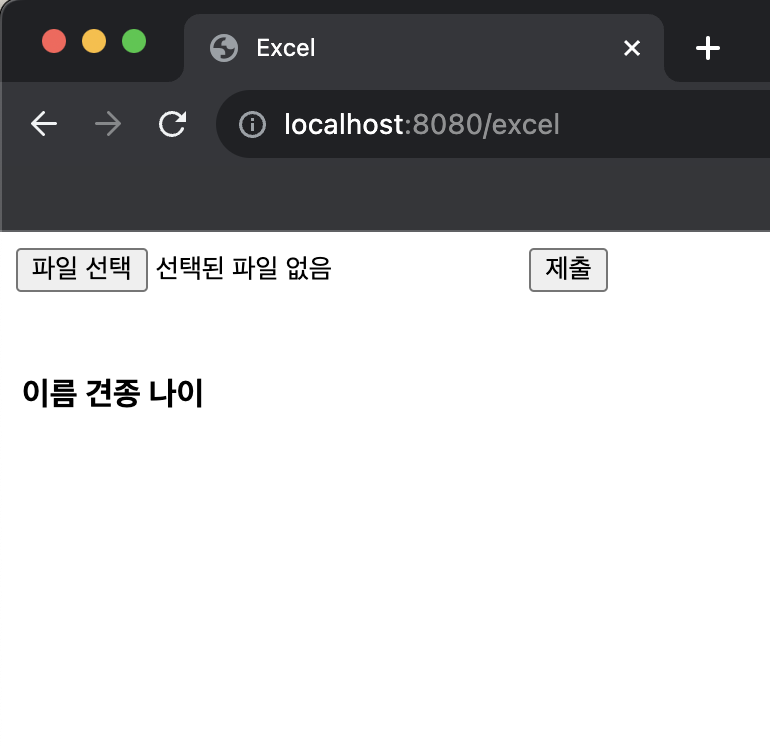
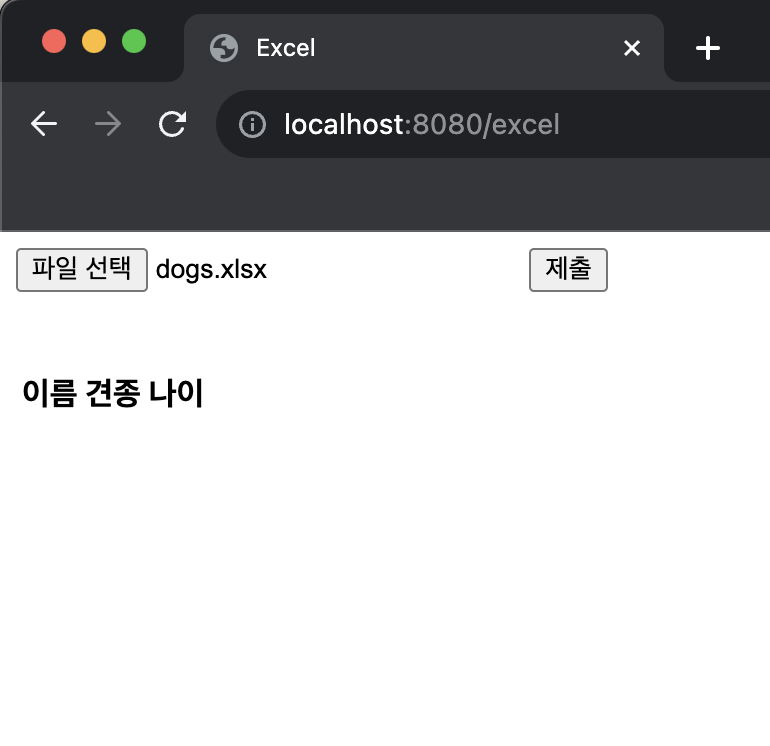
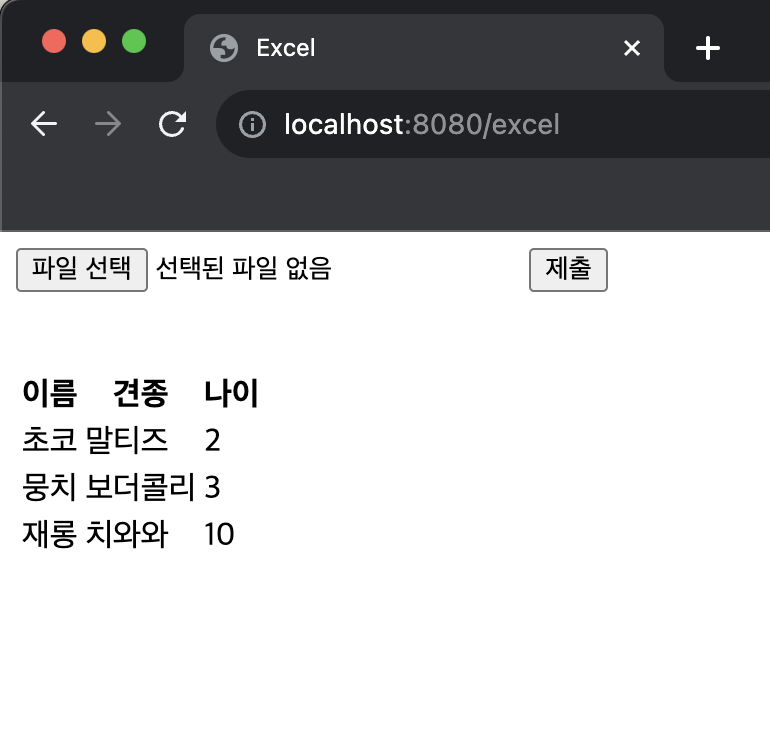

1. 의존성 추가
먼저 POI 라이브러리를 사용하기 위해 build.gradle을 설정해줍니다.
implementation 'org.apache.poi:poi:5.2.2'
implementation 'org.apache.poi:poi-ooxml:5.2.2'
2. DTO 작성
package com.excel.domain.excel.dto;

import lombok.AllArgsConstructor;
import lombok.Getter;
import lombok.Setter;

@AllArgsConstructor
@Getter
@Setter
public class DogDTO {
    private String name;
    private String breed;
    private int age;
}
3. Controller 작성
- ExcelController.java
package com.excel.domain.excel.controller;

import com.excel.domain.excel.dto.DogDTO;
import com.excel.domain.excel.service.ExcelService;
import org.apache.poi.ss.usermodel.Row;
import org.apache.poi.ss.usermodel.Sheet;
import org.apache.poi.ss.usermodel.Workbook;
import org.apache.poi.xssf.usermodel.XSSFWorkbook;
import org.springframework.beans.factory.annotation.Autowired;
import org.springframework.stereotype.Controller;
import org.springframework.ui.Model;
import org.springframework.web.bind.annotation.GetMapping;
import org.springframework.web.bind.annotation.PostMapping;
import org.springframework.web.bind.annotation.RequestMapping;
import org.springframework.web.bind.annotation.RequestParam;
import org.springframework.web.multipart.MultipartFile;

import java.io.IOException;
import java.util.ArrayList;
import java.util.List;

@Controller
@RequestMapping("/excel")
public class ExcelController {

    @Autowired
    ExcelService excelService;

    @GetMapping("")
    public String getView(Model model) {
        List<DogDTO> dogDTOList = excelService.getView();

        model.addAttribute("dogs", dogDTOList);

        return "dogList";
    }

    @PostMapping("")
    public String readExcel(@RequestParam("excelFile") MultipartFile excelFile, Model model) throws IOException {
        List<DogDTO> dogList = new ArrayList<>();

        Workbook workbook = new XSSFWorkbook(excelFile.getInputStream());

        Sheet worksheet = workbook.getSheetAt(0);

        for (int i = 1; i < worksheet.getPhysicalNumberOfRows(); i++) {

            Row row = worksheet.getRow(i);

            DogDTO dog = new DogDTO(
                    row.getCell(0).getStringCellValue(),
                    row.getCell(1).getStringCellValue(),
                    (int)row.getCell(2).getNumericCellValue()
                    );

            dogList.add(dog);
        }

        excelService.saveDogList(dogList);

        List<DogDTO> dogDTOList = excelService.getView();

        model.addAttribute("dogs", dogDTOList);

        return "dogList";
    }
}
4. Service 작성
- ExcelService.java
package com.excel.domain.excel.service;

import com.excel.domain.excel.dto.DogDTO;

import java.util.List;

public interface ExcelService {
    List<DogDTO> getView();
    void saveDogList(List<DogDTO> dogList);
}
5. Service 구현
- ExcelServiceImp.java
package com.excel.domain.excel.service.imp;

import com.excel.dao.ExcelDAO;
import com.excel.domain.excel.dto.DogDTO;
import com.excel.domain.excel.service.ExcelService;
import org.springframework.beans.factory.annotation.Autowired;
import org.springframework.stereotype.Service;

import java.util.List;

@Service
public class ExcelServiceImp implements ExcelService {

    @Autowired
    ExcelDAO excelDAO;

    @Override
    public List<DogDTO> getView() {
        return excelDAO.getView();
    }

    @Override
    public void saveDogList(List<DogDTO> dogList) {
        excelDAO.clearDogList();
        excelDAO.saveDogList(dogList);
    }
}
6. DAO 작성
- ExcelDAO.java
package com.excel.dao;

import com.excel.domain.excel.dto.DogDTO;
import org.apache.ibatis.annotations.Mapper;

import java.util.List;

@Mapper
public interface ExcelDAO {
    List<DogDTO> getView();
    void clearDogList();
    void saveDogList(List<DogDTO> dogList);
}
7. Mapper 작성
- ExcelDaoMapper.xml
<?xml version="1.0" encoding="UTF-8"?>
<!DOCTYPE mapper
  PUBLIC "-//mybatis.org//DTD Mapper 3.0//EN"
  "http://mybatis.org/dtd/mybatis-3-mapper.dtd">
<mapper namespace="com.excel.dao.ExcelDAO">
  <select id="getView" resultType="com.excel.domain.excel.dto.DogDTO">
    SELECT name name, breed breed, age age
    FROM dogs
  </select>
  <delete id="clearDogList">
    DELETE FROM dogs
  </delete>
  <insert id="saveDogList" parameterType="com.excel.domain.excel.dto.DogDTO">
    INSERT INTO dogs(name, breed, age)
    VALUES
    <foreach collection="list" item="dog" separator=", ">
      (#{dog.name}, #{dog.breed}, #{dog.age})
    </foreach>
  </insert>
</mapper>
8. 화면 구성
- dogList.html
<!DOCTYPE html>
<html xmlns:th="http://www.thymeleaf.org">
<head>
    <title>Excel</title>
</head>
<body>
<form th:action="@{/excel}" method="POST" enctype="multipart/form-data">
    <input type="file" th:name="excelFile">
    <input th:type="submit" value="제출" />
</form>
<br><br>
<table class="table table-striped">
    <thead>
    <tr>
        <th scope="col">이름</th>
        <th scope="col">견종</th>
        <th scope="col">나이</th>
    </tr>
    </thead>
    <tbody>
    <tr th:each="dog : ${dogs}" >
        <td scope="row" th:text="${dog.name}"></td>
        <td th:text="${dog.breed}"></td>
        <td th:text="${dog.age}"></td>
    </tr>
    </tbody>
</table>
</body>
</html>
전체 코드: https://github.com/DevDotUng/Excel-Read
GitHub - DevDotUng/Excel-Read: [Spring boot] POI로 엑셀 파일 읽기
[Spring boot] POI로 엑셀 파일 읽기. Contribute to DevDotUng/Excel-Read development by creating an account on GitHub.
github.com